WARDOGS Error Codes — Fix Error 1628505091 (Join Timed Out)
Fix WARDOGS error code 1628505091 (join timed out): what it means, why server overload causes it, and the player-verified fix list that works.
WARDOGS error code 1628505091 is the "join timed out" error — the game fails with "failed to connect to the server in a reasonable time" when it can't reach a match. It has been the most searched WARDOGS error since launch week, and the good news is that it is usually a server-side problem, not your PC. BULKHEAD has not published an official per-code error list (checked September 15, 2026), so everything below comes from player reports across community discussions and fix guides, cross-checked across multiple sources.
Community report · 2026-09-15Quick answer: error 1628505091 = "join timed out". First move: check whether servers are down — in launch week the cause is usually matchmaking overload, and no local fix will help. If servers look healthy: restart the game, lower your region filter, then work through the fix list below — ordered from what worked for the most players to what rarely helps.
New: WD-L020 Crash (Windows) — Fixed in 0.1.2
Players on Windows hit a crash with error WD-L020 through late September. BULKHEAD shipped the fix in Update 0.1.2 (September 30) — if you are still crashing with this code, update the game and verify files via Steam. The official patch notes list it directly: "a fix for the Windows WD-L020 crash error." Stated by developer · 2026-09-30
What Causes Error 1628505091?
In most reported cases the cause is server overload — WARDOGS sold extremely fast in launch week (400,000+ peak concurrent players), and when the matchmaking pool saturates, join requests time out. Community report · 2026-09-15 If it happens to everyone at once, no local fix will help — check server status first and wait it out.
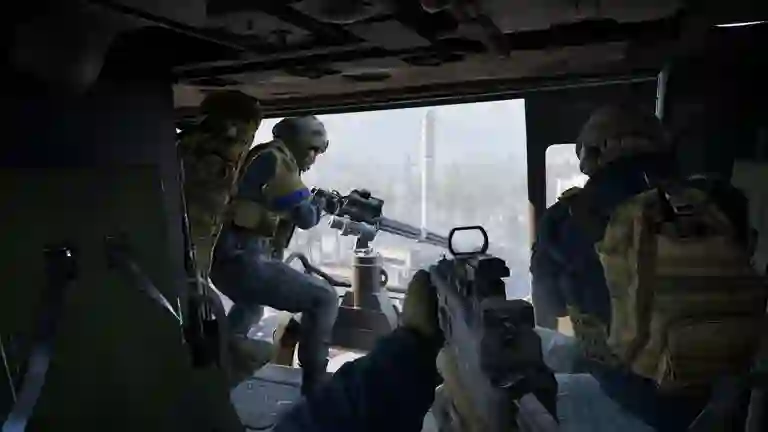
Official WARDOGS screenshot (Steam store). Stated by developer · 2026-09-15
Fixes That Work, In Order
- Check server status first. If others can't connect either, it's an incident — stop here and watch the live player count for a recovery curve.
- Fully restart the game via Steam. Close WARDOGS completely (not just alt-F4 to desktop), relaunch, and let any pending hotfix install. Restarting the whole PC has also worked for some players. Community report · 2026-09-15
- Switch server/region in the in-game browser — Patch 0.11 specifically improved the server browser. Stated by developer · 2026-09-12
- Verify game files in Steam: right-click WARDOGS → Properties → Installed Files → "Verify integrity of game files". Rules out a corrupted install.
- Reset your network stack. Run Command Prompt as administrator:
then restart the PC. Community report · 2026-09-15ipconfig /release ipconfig /renew ipconfig /flushdns netsh winsock reset netsh int ip reset - Try a different connection — mobile hotspot instead of Wi-Fi (or the reverse) quickly tells you whether the fault is your route to the server.
Video Walkthrough
A community video walkthrough of the error and its fixes, for anyone who prefers to follow along visually. If a step differs from the list above, the patched list (checked September 15, 2026) is the reference.
Video by its creator, embedded as community reference. Community report · 2026-09-15
Other Connection Symptoms
- Constant high ping, packet loss or D-sync (especially flying helicopters) — a separate, recurring launch-week complaint; individual fixes help less here than waiting for server-side patches. Community report · 2026-09-15
- Stuck on login or queue screen — usually launch congestion; see the incident log on the server status page.
A fix that worked for you isn't listed? Report it via the contact page — player-verified fixes get added with credit. Related trackers: patch notes and the player count history.
Related pages